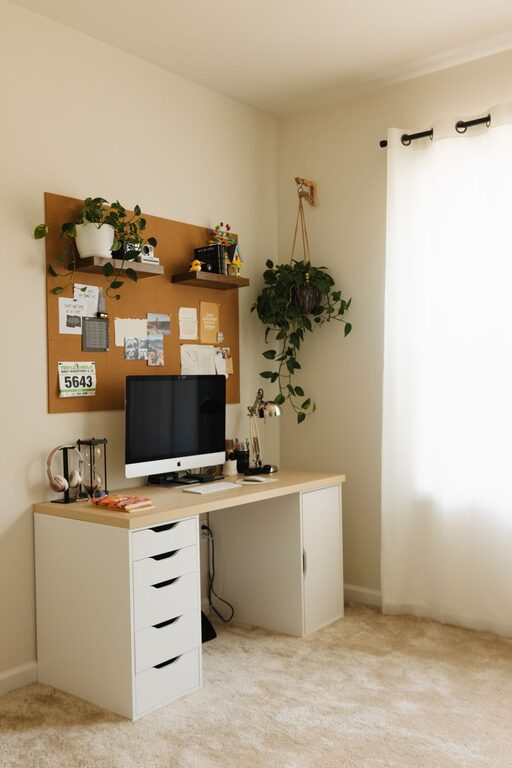




Creating an organized and productive home workspace can make a significant difference in your workday. Whether you’re working remotely full-time, freelancing, or just need a dedicated spot to manage your personal projects, a well-planned workspace helps reduce distractions, improve focus, and promote better work habits. In this post, we’ll explore practical tips to help you design a home office area that supports your productivity.
Why a Dedicated Workspace Matters
Having a specific area for work can help your mind switch into “work mode,” separating professional tasks from personal life. It also encourages better posture, reduces clutter, and allows you to keep all tools and materials within easy reach. Here are some key benefits of an organized home workspace:
– Encourages focus by minimizing distractions
– Establishes routine and boundaries for work hours
– Increases comfort and reduces physical strain
– Improves time management and workflow
– Creates a professional atmosphere for video calls
Now, let’s dive into the steps to design your ideal workspace.
Choose the Right Location
Consider Lighting and Noise Levels
Select a spot in your home that has good natural light when possible. Natural light not only helps reduce eye strain but boosts mood and alertness. Avoid areas with frequent noise interruptions if you can, or consider noise-canceling headphones or soundproofing options.
Assess Space and Ergonomics
Make sure the location allows enough room for your desk, chair, and any equipment you use regularly. The space should support good posture, allowing you to sit comfortably with feet flat on the floor and your screen at eye level.
Declutter and Organize
Keep Only What You Need
Start by clearing out unnecessary items. A clutter-free space helps clear your mind and keeps your focus sharp. Only keep supplies and devices that you use daily.
Use Storage Solutions
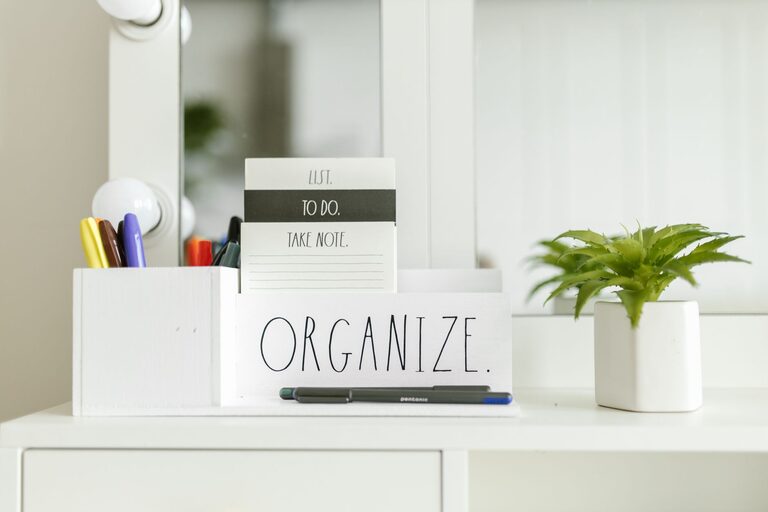
Invest in desk organizers, shelves, or filing cabinets to keep papers and tools arranged neatly. Labeling storage areas can make it easier to find things quickly.
Digitize When Possible
Reduce paper clutter by scanning important documents and storing them digitally. Use cloud storage for backups and access from different devices.
Optimize Your Desk Setup
Ergonomic Essentials
Choose a comfortable, adjustable chair with good back support. Position your monitor so that the top of the screen is at eye level, about 20-30 inches from your face. Use a keyboard and mouse that feel natural and prevent strain.
Keep it Functional and Minimal
Limit the items on your desk to essentials like your computer, keyboard, notebook, and a pen. Leave enough workspace for writing or other tasks.
Personalize Tastefully
Add a few personal touches like a small plant, a photo, or artwork that inspire you. These elements can improve mood without distracting you.
Manage Cables and Technology
Tidy Up Wires
Use cable clips, ties, or a cable box to keep cords neat and prevent tangling. This reduces visual clutter and avoids accidental unplugging.
Optimize Devices
Make sure your devices are up to date and working well. Set up multiple monitors if it helps your productivity, and use ergonomic accessories like a laptop stand.
Set Working Boundaries
Define Your Work Hours
Create a schedule and try to stick to regular work hours. Having clear start and end times helps balance work and life.
Create Transition Rituals
Develop habits that signal the start and end of your workday, like closing your laptop or organizing your desk. These reinforce mental boundaries and help you switch off.
Communicate with Household Members
Let family or roommates know your work hours and workspace boundaries to minimize interruptions.
Incorporate Comfort and Wellness
Breaks and Movement
Take short breaks every hour to stretch and move around. This improves circulation and helps prevent fatigue.
Air Quality and Temperature
Ensure your workspace is well-ventilated and at a comfortable temperature. Add a small fan or heater if needed.
Hydration and Snacks
Keep water nearby and healthy snacks to stay energized throughout your workday.
Use Tools and Apps for Organization
Task Management
Apps like Trello, Todoist, or Asana can keep your tasks organized and prioritized.
Calendar and Reminders
Use digital calendars to schedule meetings, deadlines, and breaks.
Focus Aids
Techniques like the Pomodoro timer or focus apps (Forest, Focus@Will) help maintain concentration.
—
Organizing a productive home workspace takes a bit of planning but yields great rewards in comfort, focus, and efficiency. By thoughtfully selecting your space, reducing clutter, optimizing ergonomics, and setting clear boundaries, you can create an environment that supports your best work. Try these tips to transform your home office into a haven for getting things done!