


Creating a functional and tidy home workspace is essential for maintaining productivity and minimizing distractions. Whether you work remotely, run a home business, or simply need a spot for managing household tasks, an organized space makes a big difference. Below are practical tips to help you develop a clutter-free and efficient home workspace.
Why Organize Your Home Workspace?
A well-organized workspace helps you stay focused on your tasks, reduces stress caused by clutter, and improves your overall work experience. When everything has its place, you waste less time searching for items and more time being productive.
Step 1: Choose the Right Location
Consider Natural Light and Quietness
Pick a spot in your home that has good natural lighting, if possible. Natural light can boost mood and help reduce eye strain. It’s also important to choose a quiet area away from noisy distractions like TVs or household traffic.
Make It a Dedicated Space
Avoid working in shared or multi-use spaces if you can. A dedicated workspace signals to your brain that it’s time to work, which helps with maintaining focus.
Step 2: Declutter and Clean
Remove Unnecessary Items
Start by clearing your desk and surrounding area of anything that isn’t essential. Papers, office supplies, or gadgets that aren’t needed should be stored elsewhere or discarded.
Clean Your Space Regularly
Dust and wipe your workspace to maintain a pleasant environment. Regular cleaning helps keep your desk inviting and less prone to mess.
Step 3: Optimize Your Desk Setup
Use Storage Solutions
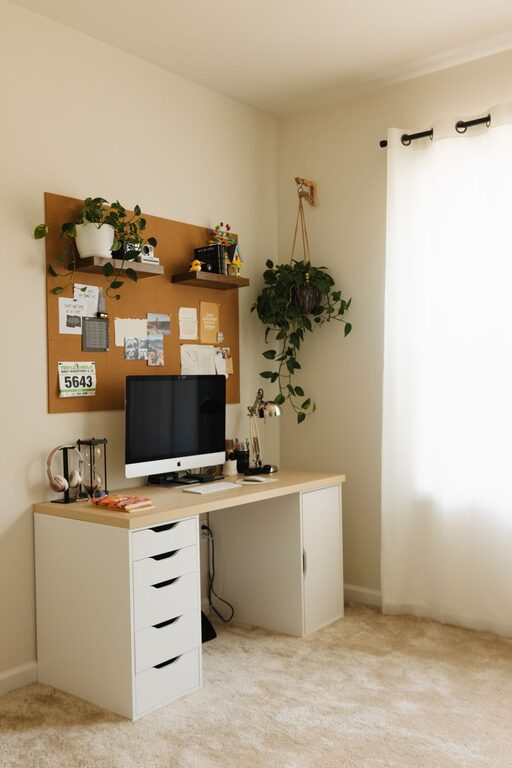
Invest in drawer organizers, shelves, or filing cabinets to keep supplies and documents neatly stored. Using vertical space can also free up your desktop.
Keep Only Essentials on Your Desk
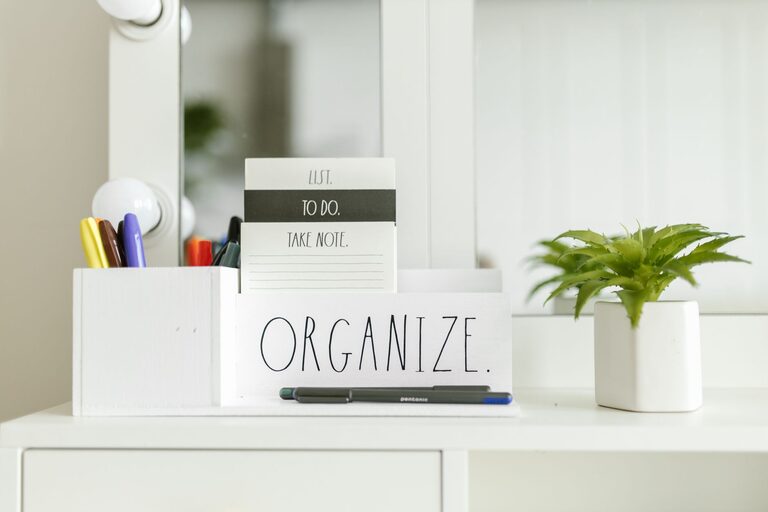
Limit items on your desk to those you use daily, such as your computer, a notebook, a pen holder, and perhaps a small plant. This reduces visual clutter.
Comfortable and Ergonomic Furniture
Choose a comfortable chair and desk that support good posture. Ergonomics prevents discomfort and helps sustain focus during long work hours.
Step 4: Develop Organizing Systems
Paper Management
Use folders, binders, or digital scanning to manage physical documents. Label all files clearly for easy access.
Cable Management
Tangle-free cables make your workspace look cleaner and prevent distractions. Cable clips, ties, and boxes can help keep cords neat.
Digital Organization
Organize your computer files with logical folder names and consistent structures. Back up important work regularly to avoid data loss.
Step 5: Establish Daily Routines
End-of-Day Cleanup
Spend a few minutes at the end of each workday tidying your desk and putting items back in their place. This prepares you for a fresh start the next morning.
Regular Reviews
Weekly or monthly, reassess your workspace to remove any new clutter and reorganize as needed. Adapt your space as your work habits change.
Bonus Tips for Inspiration and Comfort
– Add a small plant or artwork for visual interest without clutter.
– Use adjustable lighting to suit different times of day.
– Incorporate personal motivators like photos or inspirational quotes, but keep them minimal.
Conclusion
Organizing a clutter-free and efficient home workspace is a process that requires thoughtful choices and consistent habits. By dedicating the right spot, minimizing distractions, maintaining cleanliness, and staying organized with smart systems, you can create an environment that nurtures productivity and well-being. Start small and adjust as you go to build the perfect space for your working needs at home.